
错误处理
Yii 提供了 yiisoft/error-handler 包,使错误处理体验大为改善。Yii 错误处理器具体提供了以下功能:
- 用于捕获未处理错误的 PSR-15 中间件。
- 用于将特定异常映射到自定义响应的 PSR-15 中间件。
- 生产模式和调试模式。
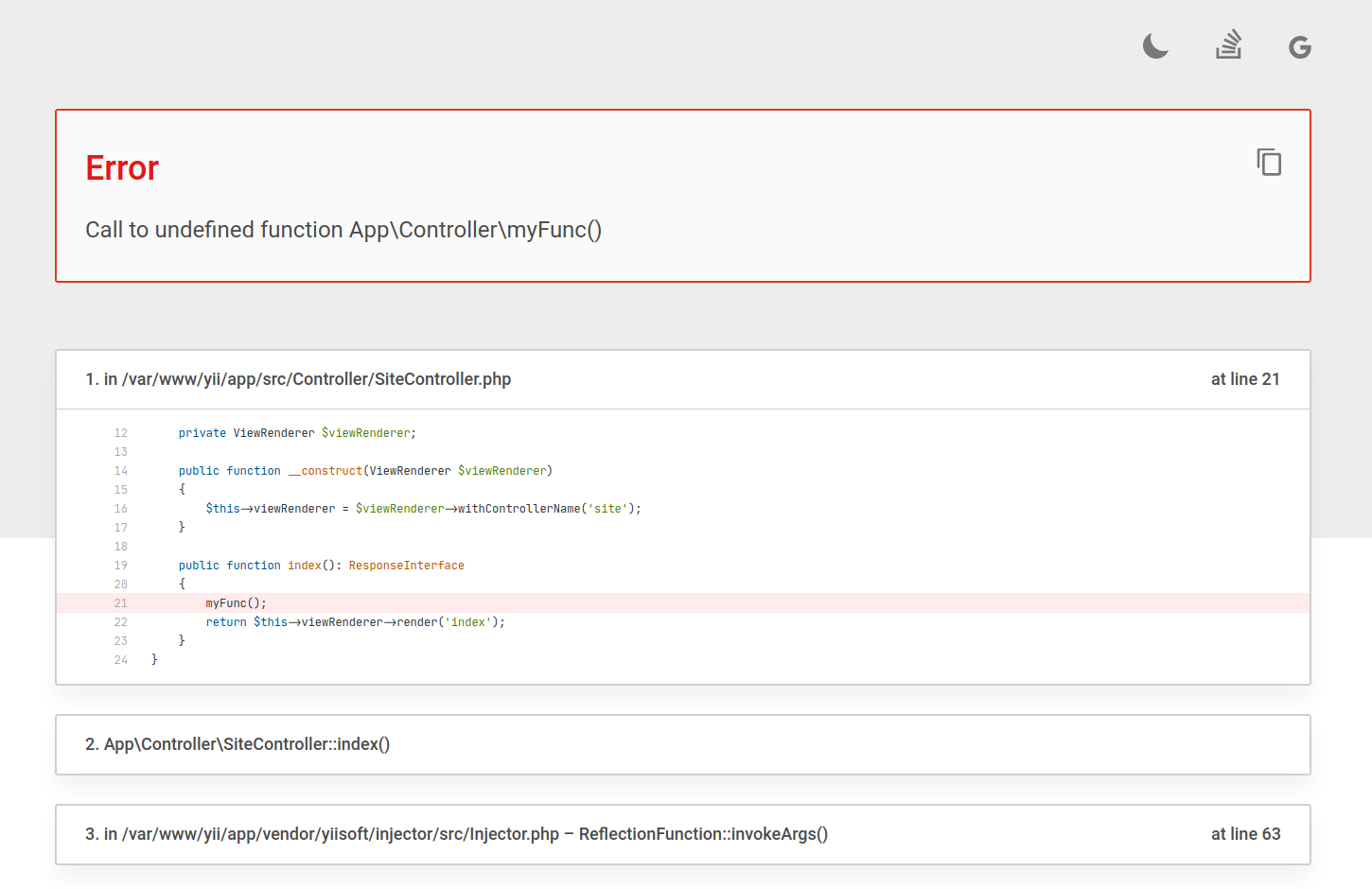
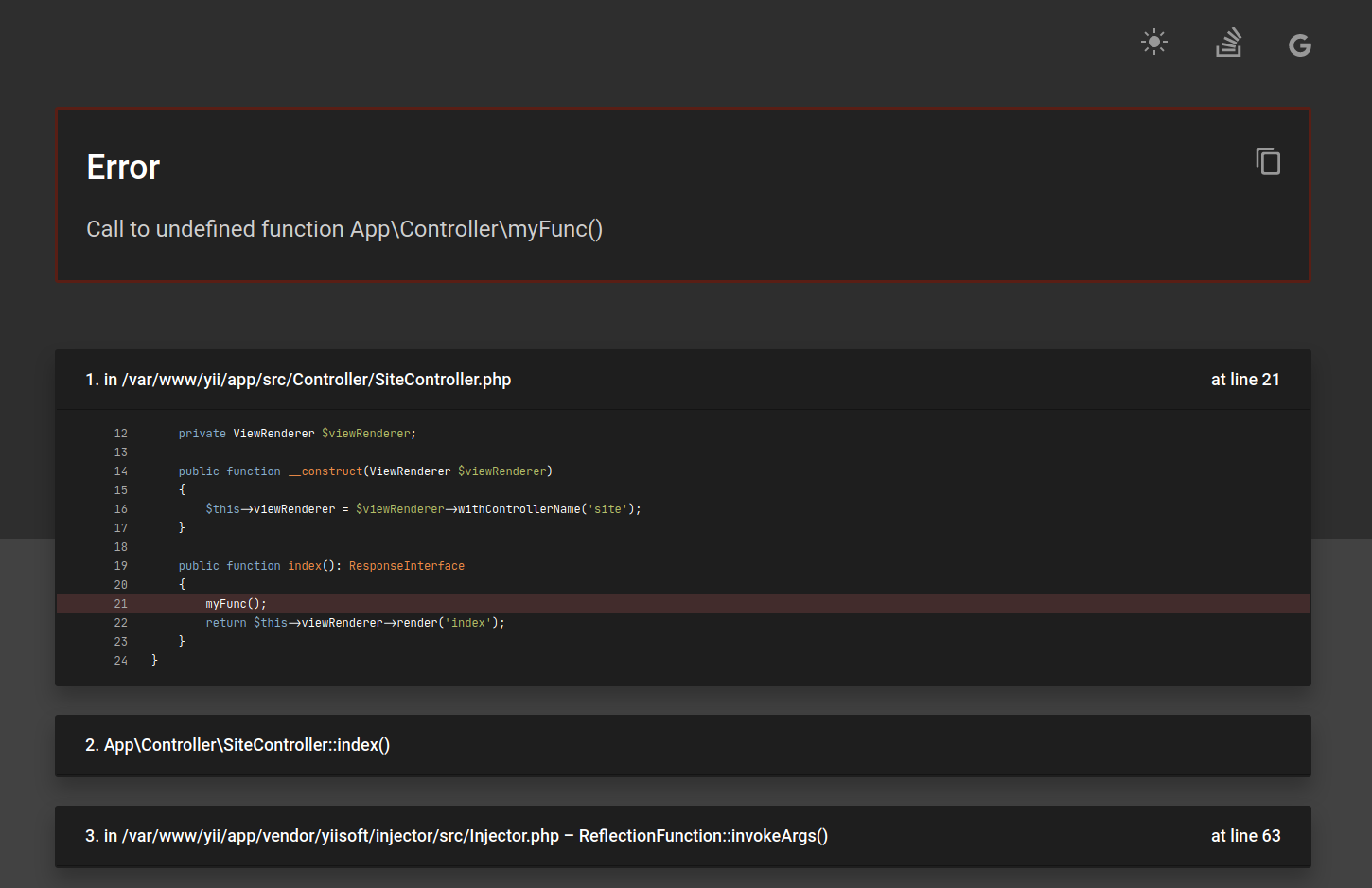
- 调试模式显示详细信息和堆栈跟踪,提供深色和浅色主题,以及无需输入即可搜索错误的快捷按钮。
- 考虑 PHP 配置设置。
- 处理内存溢出错误、致命错误、警告、通知和异常。
- 可使用任何兼容 PSR-3 的日志记录器记录错误。
- 根据请求的 MIME 类型自动检测响应格式。
- 开箱即支持 HTML、纯文本、JSON、XML 和响应头格式的响应。
- 您可以为其他类型实现自定义错误渲染。
本指南介绍如何在 Yii 框架中使用错误处理器。若要了解独立于 Yii 使用的信息,请参阅包说明。
使用错误处理器
错误处理器由两部分组成。第一部分是 Yiisoft\ErrorHandler\Middleware\ErrorCatcher 中间件,注册后可捕获中间件栈执行过程中出现的异常并将其传递给处理器。另一部分是错误处理器本身 Yiisoft\ErrorHandler\ErrorHandler,用于捕获中间件栈之外的异常和致命错误。处理器还会将警告和通知转换为异常,并执行更多便捷操作。
错误处理器在应用程序本身中注册,通常在 ApplicationRunner 中完成。默认情况下,处理器的配置来自容器。您可以在应用配置 config/web.php 中按如下方式配置:
use Psr\Log\LoggerInterface;
use Yiisoft\ErrorHandler\ErrorHandler;
use Yiisoft\ErrorHandler\Renderer\HtmlRenderer;
use Yiisoft\ErrorHandler\ThrowableRendererInterface;

return [
    // ...
    ErrorHandler::class => static function (LoggerInterface $logger, ThrowableRendererInterface $renderer) {
        $errorHandler = new ErrorHandler($logger, $renderer);
        // Set the size of the reserved memory to 512 KB. Defaults to 256KB.
        $errorHandler->memoryReserveSize(524_288);
        return $errorHandler;
    },

    ThrowableRendererInterface::class => static fn () => new HtmlRenderer([
        // Defaults to the package file "templates/production.php".
        'template' => '/full/path/to/production/template/file',
        // Defaults to package file "templates/development.php".
        'verboseTemplate' => '/full/path/to/development/template/file',
        // Maximum number of source code lines to be displayed. Defaults to 19.
        'maxSourceLines' => 20,
        // Maximum number of trace source code lines to be displayed. Defaults to 13.
        'maxTraceLines' => 5,
        // Trace the header line with placeholders (file, line, icon) to be substituted. Defaults to `null`.
        'traceHeaderLine' => '<a href="ide://open?file={file}&line={line}">{icon}</a>',
    ]),
    // ...
];
如前所述,错误处理器会将所有非致命 PHP 错误转换为可捕获的异常(Yiisoft\ErrorHandler\Exception\ErrorException)。这意味着您可以使用以下代码处理 PHP 错误:
try {
    10 / 0;
} catch (\Yiisoft\ErrorHandler\Exception\ErrorException $e) {
    // Write a log or something else.
}
// execution continues...
该包还有另一个中间件 Yiisoft\ErrorHandler\Middleware\ExceptionResponder,用于将特定异常映射到自定义响应。在应用配置中按如下方式配置:
use Psr\Http\Message\ResponseFactoryInterface;
use Yiisoft\ErrorHandler\Middleware\ExceptionResponder;
use Yiisoft\Injector\Injector;

return [
    // ...
    ExceptionResponder::class => static function (ResponseFactoryInterface $responseFactory, Injector $injector) {
        $exceptionMap = [
            // Status code with which the factory creates the response.
            MyNotFoundException::class => 404,
            // PHP callable that must return a `Psr\Http\Message\ResponseInterface`.
            MyHttpException::class => static fn (MyHttpException $exception) => new MyResponse($exception),
            // ...
        ];

        return new ExceptionResponder($exceptionMap, $responseFactory, $injector);
    },
];
请注意,在配置应用中间件栈时,必须将 Yiisoft\ErrorHandler\Middleware\ExceptionResponder 放在 Yiisoft\ErrorHandler\Middleware\ErrorCatcher 之前。
渲染错误数据
渲染器可将错误数据渲染为特定格式。以下渲染器开箱即用:
Yiisoft\ErrorHandler\Renderer\HeaderRenderer- 将错误渲染为 HTTP 响应头,用于HEAD请求。Yiisoft\ErrorHandler\Renderer\HtmlRenderer- 将错误渲染为 HTML。Yiisoft\ErrorHandler\Renderer\JsonRenderer- 将错误渲染为 JSON。Yiisoft\ErrorHandler\Renderer\PlainTextRenderer- 将错误渲染为纯文本。Yiisoft\ErrorHandler\Renderer\XmlRenderer- 将错误渲染为 XML。
渲染器根据是否启用调试模式生成详细程度不同的错误数据。
调试模式关闭时,响应头渲染示例:
...
X-Error-Message: An internal server error occurred.
...
调试模式开启时,响应头渲染示例:
...
X-Error-Type: Error
X-Error-Message: Call to undefined function App\Controller\myFunc()
X-Error-Code: 0
X-Error-File: /var/www/yii/app/src/Controller/SiteController.php
X-Error-Line: 21
...
调试模式关闭时,JSON 渲染输出示例:
{"message":"An internal server error occurred."}调试模式开启时,JSON 渲染输出示例:
{
    "type": "Error",
    "message": "Call to undefined function App\\Controller\\myFunc()",
    "code": 0,
    "file": "/var/www/yii/app/src/Controller/SiteController.php",
    "line": 21,
    "trace": [
        {
            "function": "index",
            "class": "App\\Controller\\SiteController",
            "type": "->"
        },
        {
            "file": "/var/www/yii/app/vendor/yiisoft/injector/src/Injector.php",
            "line": 63,
            "function": "invokeArgs",
            "class": "ReflectionFunction",
            "type": "->"
        },
        ...
    ]
}
调试模式关闭时,HTML 渲染示例:
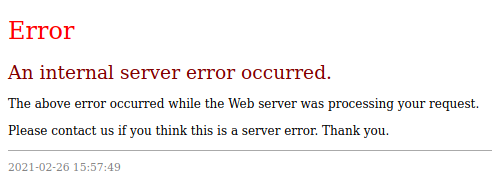
调试模式开启且使用浅色主题时,HTML 渲染示例:
调试模式开启且使用深色主题时,HTML 渲染示例:
The error catcher chooses how to render an exception based on accept HTTP header. If it's text/html or any unknown content type, it will use the error or exception HTML template to display errors. For other mime types, the error handler will choose different renderers registered in a renderer provider. By default, it supports JSON, XML, and plain text.
实现自定义渲染器
You may customize the error response format by implementing Yiisoft\ErrorHandler\ThrowableRendererInterface. The renderer converts a throwable into Yiisoft\ErrorHandler\ErrorData, which contains the response body and headers.
use Psr\Http\Message\ServerRequestInterface;
use Throwable;
use Yiisoft\ErrorHandler\ErrorData;
use Yiisoft\ErrorHandler\ThrowableRendererInterface;
use Yiisoft\Http\Header;

final readonly class MyRenderer implements ThrowableRendererInterface
{
    public function render(Throwable $t, ?ServerRequestInterface $request = null): ErrorData
    {
        return new ErrorData(
            '{"message":"An internal server error occurred."}',
            [Header::CONTENT_TYPE => 'application/problem+json'],
        );
    }

    public function renderVerbose(Throwable $t, ?ServerRequestInterface $request = null): ErrorData
    {
        return new ErrorData(
            json_encode(
                [
                    'type' => $t::class,
                    'message' => $t->getMessage(),
                    'file' => $t->getFile(),
                    'line' => $t->getLine(),
                ],
                JSON_THROW_ON_ERROR | JSON_UNESCAPED_SLASHES,
            ),
            [Header::CONTENT_TYPE => 'application/problem+json'],
        );
    }
}
Register the renderer in config/common/di/error-handler.php:
use Psr\Container\ContainerInterface;
use App\Error\MyRenderer;
use Yiisoft\Definitions\DynamicReference;
use Yiisoft\ErrorHandler\Renderer\HtmlRenderer;
use Yiisoft\ErrorHandler\Renderer\JsonRenderer;
use Yiisoft\ErrorHandler\Renderer\PlainTextRenderer;
use Yiisoft\ErrorHandler\Renderer\XmlRenderer;
use Yiisoft\ErrorHandler\RendererProvider\CompositeRendererProvider;
use Yiisoft\ErrorHandler\RendererProvider\ContentTypeRendererProvider;
use Yiisoft\ErrorHandler\RendererProvider\HeadRendererProvider;
use Yiisoft\ErrorHandler\ThrowableResponseFactory;
use Yiisoft\ErrorHandler\ThrowableResponseFactoryInterface;

return [
    ThrowableResponseFactoryInterface::class => [
        'class' => ThrowableResponseFactory::class,
        '__construct()' => [
            'rendererProvider' => DynamicReference::to(
                static fn (ContainerInterface $container) => new CompositeRendererProvider(
                    new HeadRendererProvider(),
                    new ContentTypeRendererProvider($container, [
                        'application/problem+json' => MyRenderer::class,
                        'application/json' => JsonRenderer::class,
                        'application/xml' => XmlRenderer::class,
                        'text/xml' => XmlRenderer::class,
                        'text/plain' => PlainTextRenderer::class,
                        'text/html' => HtmlRenderer::class,
                        '*/*' => HtmlRenderer::class,
                    ]),
                ),
            ),
        ],
    ],
];
The renderers array maps Accept header content types to renderer class names. When you provide this array, it replaces the default map, so include the default renderer classes you still need.
友好异常
Yii 错误渲染器支持友好异常,让团队的错误处理体验更佳。其理念是为问题提供可读的名称和可能的解决方案:
use Yiisoft\FriendlyException\FriendlyExceptionInterface;

final readonly class RequestTimeoutException extends \RuntimeException implements FriendlyExceptionInterface
{
    public function getName(): string
    {
        return 'Request timed out';
    }

    public function getSolution(): ?string
    {
        return <<<'SOLUTION'
Likely it is a result of resource request is not responding in a timely fashion. Try increasing timeout.
SOLUTION;
    }
}
当应用程序抛出此类异常时,若调试模式已开启,错误渲染器将显示名称和解决方案。